Photo Ratings
Rating photos to track favourites and reject rejects
CaptureGRID supports a 0 to 5 star rating per photo. Ratings can be set in the app and are read from each photo’s EXIF metadata where present. They provide a simple way to flag favourites or rejects during a shoot, and to filter the photo list later when reviewing.
Setting a Rating
A photo’s rating can be set or changed from any of the photo viewing windows:
Preview — rating stars are shown alongside the photo and can be clicked to set the value
Filmstrip — rating stars are shown on each thumbnail and can be edited in place
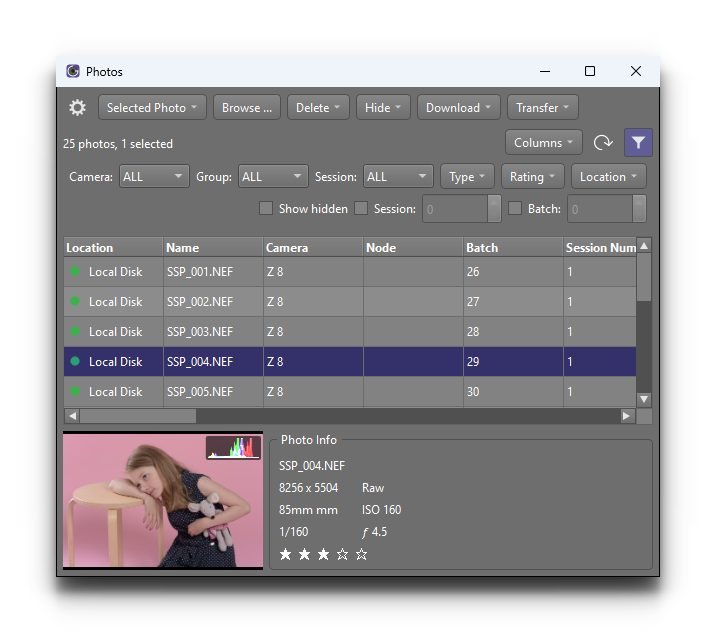
Photos table — the rating column shows the current value and can be edited directly
For more on these windows, see Viewing Photos.
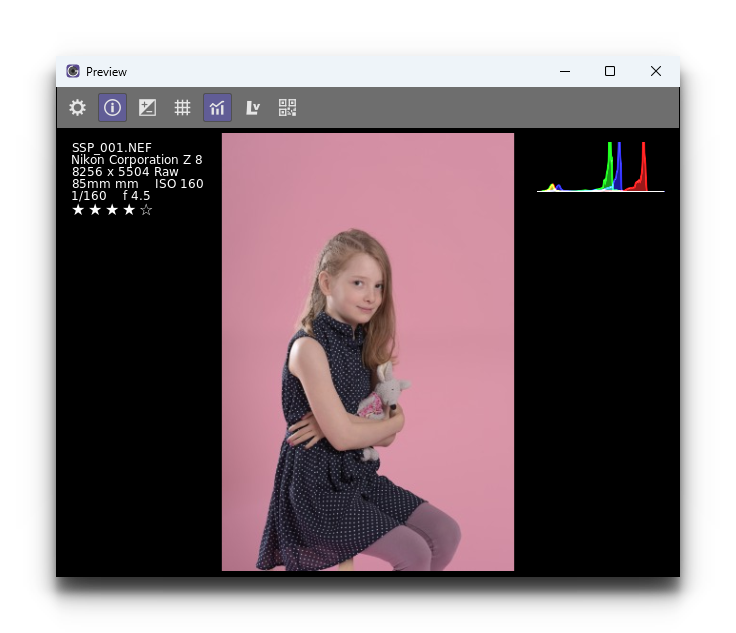
A rating of 0 (no stars) is the default for a new photo. The other values are 1, 2, 3, 4 and 5 stars. There is no half-star value.
Reading from EXIF
When a photo is downloaded or imported, the app reads any rating that is already present in the photo’s EXIF metadata and uses it as the photo’s initial rating in CaptureGRID. This means ratings applied by the camera or by another tool — for example, an in-camera rating button — will be preserved.
Filtering and Sorting by Rating
Once ratings have been applied, they can be used to narrow or order the photo list:
The Filmstrip filter controls include a rating filter, useful for stepping through only your favourites.
The Photos table can be filtered by rating from the filter row, and the rating column can be clicked to sort.
The rating filter combines with the other filters (camera, group, session, etc.), so for example you can list 4+ star photos taken by a specific camera in a specific session.
For more on filtering in the photo windows, see Viewing Photos.